🎵 Key Takeaway
Want to sound like a full orchestra? You can record yourself playing different parts (Layering). The secret is to use different ocarinas (or different ranges) for the Bass, Harmony, and Melody to avoid a muddy sound.
You have seen those TikToks where one person appears in 4 frames, playing 4 different parts.
It sounds amazing. It's called Layering.
If you just record the same melody 4 times, it sounds loud and messy. You need to assign roles, just like a rock band.
Role 1: The Lead Singer (Melody)
This is the main tune. It should be the loudest and clearest track.
You need an instrument with a pure, singing tone that cuts through the mix.
The Perfect Lead Voice
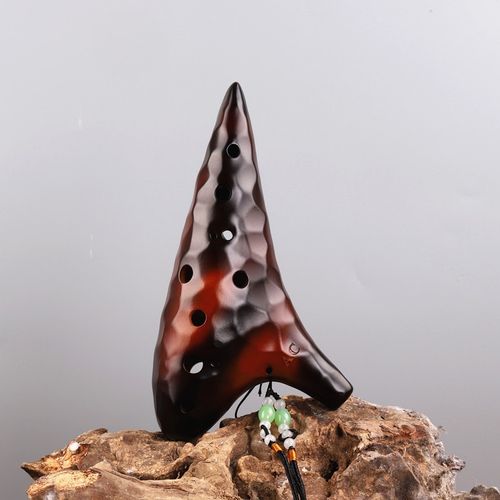
For the main melody, use the Gradient Green 12-Hole. Its "Masterful Sound" voicing ensures that the melody stands out clearly above the background accompaniment.
Shop Lead Ocarina →
Role 2: The Bass & Rhythm (Accompaniment)
You need a foundation. Usually, this is a Cello or a Bass Guitar.
On an ocarina, you need to play low, rhythmic roots (e.g., C... G... A... F...).
A standard 12-hole often isn't low enough to act as a true bass.
The All-in-One Studio Tool
The Triple Ocarina is essential for layering. You can use the large First Chamber to record deep, rhythmic basslines, and then use the Third Chamber to record sparkling high harmonies. It covers the whole spectrum.
Get the Studio Tool →
Role 3: The Harmony (The Glue)
This track sits in the middle. Play long, sustained notes (Pads) that match the chords.
Pro Tip: Use less breath pressure for the harmony track. You want it to blend into the background, not fight with the lead.
How to Mix It
When you edit your video/audio:
- Melody (Gradient Green): Volume 100%. Center Pan.
- Bass (Triple Chamber 1): Volume 80%. Center Pan.
- Harmony (Triple Chamber 2): Volume 60%. Pan Left/Right.
This creates a wide, professional stereo image.